5 Best Restaurant Pager Alternatives to Replace Buzzers in 2026
TokenPager Team
Queue & Hospitality Tech
Key Insights
- •Traditional coaster buzzer systems cost between $900 and $1,800 upfront, with an ongoing 15% to 25% annual shrinkage loss from accidental patron theft.
- •Carrier-based SMS waitlist systems eliminate physical discs but burden venues with recurring monthly fees and slow 20-second intake bottlenecks during rushes.
- •Zero-hardware web pagers run directly in standard mobile browsers via QR codes, eliminating hardware expense, app store downloads, and phone number collection.
The Hidden Cost of Traditional Coaster Buzzers (LRS, JTECH & Retekess)
Physical coaster buzzers transformed dining room management in the late 1990s. They eliminated shouted order numbers, gave waiting diners freedom to step away from the host stand, and reduced front-of-house noise.
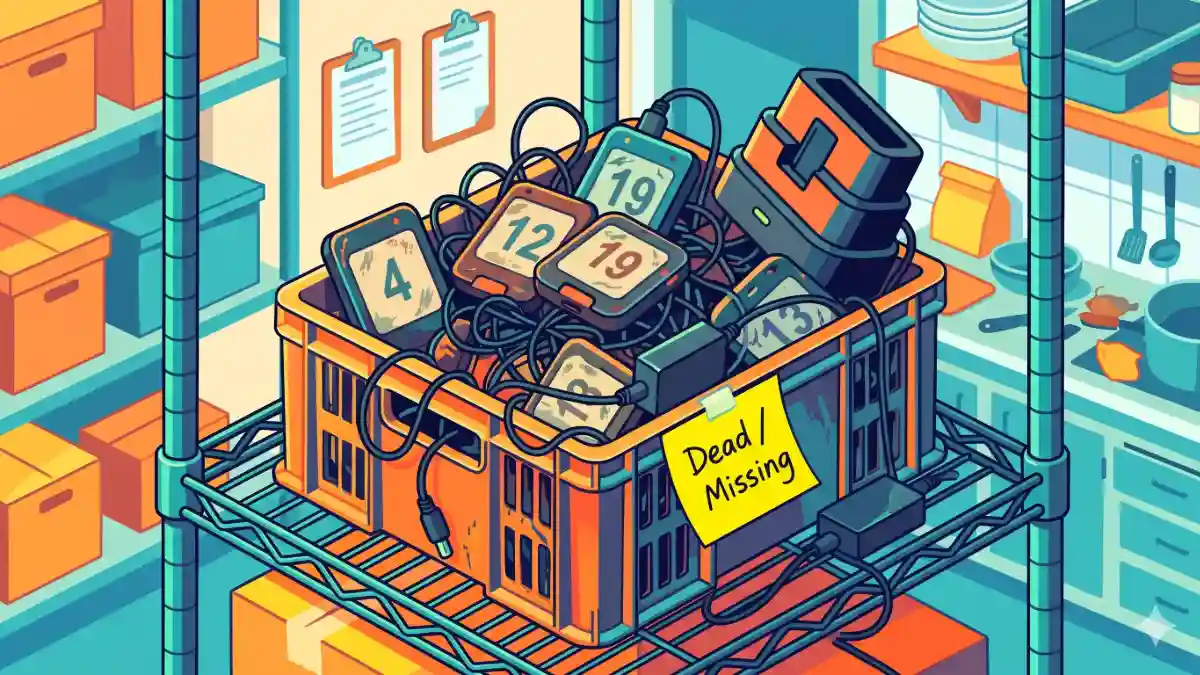
Thirty years later, hardware buzzers have become an expensive operational liability.
Between paying $40 to $60 for a single replacement disc, managing charging towers that monopolize front counters, and absorbing battery degradation during peak shifts, operators are actively transitioning away from legacy paging hardware.
Whether you are looking to replace an aging LRS (Long Range Systems) fleet, upgrade a budget Retekess setup, or eliminate hardware entirely at a fast-casual counter or food truck, here is a breakdown of the leading restaurant pager alternatives available today—ranked by operational friction, cost, and guest experience:
For a dedicated brand-by-brand breakdown of initial kit costs, RF ranges, and replacement pricing across commercial vendors, see our deep-dive analysis on LRS vs. Retekess vs. JTECH vs. VEVOR Pagers.
• Hardware Capital & Replacement Drag: Commercial kits (such as LRS Guest Pager systems or JTECH setups) start between $900 and $1,800 for a transmitter dock and 15–20 pagers. Budget alternatives like Retekess run $150 to $300 upfront, but durability is lower. Across all brands, replacement coasters cost $25 to $60 per single unit.
• Shrinkage & Accidental Theft: Guests regularly slip pagers into purses, pockets, or take them to their cars, forgetting to return them before driving away. Venues routinely lose 15% to 25% of their fleet annually.
• Sanitation Overhead: Between every single customer hand-off, staff must wipe down greasy plastic casings and inspect docking pins.
• Charging Tower Footprint: Bulky multi-tier charging stacks take up prime real estate on host stands and pickup ledges.
• RF Interference & Dead Zones: Standard UHF/FM radio frequencies struggle through thick masonry walls, basement bars, and outdoor garden patios.
The 5 Best Restaurant Pager Alternatives
When evaluating replacements for hardware buzzers, venues typically choose from five operational architectures:
1. Zero-Hardware Digital Paging (QR-Based Web PWAs)
Best for: Fast-casual restaurants, food halls, cafes, and food trucks seeking instant guest notification with zero hardware investment and no recurring per-message fees.
Rather than handing guests a piece of vibrating plastic, digital web pagers turn the high-resolution smartphone every customer already carries into their personal buzzer.
Guests scan an intake QR code at the counter or follow an order URL printed on their receipt. Their default mobile browser opens a lightweight Progressive Web App (PWA) like TokenPager that streams live order progression (Received → In Prep → Ready for Pickup), complete with dynamic estimated wait times. When the kitchen marks the ticket complete, the screen flashes visually, plays distinct audio chimes, and triggers physical device vibration.
• $0 Hardware Footprint: No transmitters, charging bases, power bricks, or stolen buzzers to replace.
• Zero Intake Friction: Guests do not download native apps from app stores and never submit personal phone numbers.
• Real-Time Wait Estimates: Displays live, dynamic countdowns or milestone progress so customers know exactly when their order will be ready, eliminating counter crowding.
• In-Venue Upsell & Ad Banners: The screen transforms idle dwell time into high-converting visual promotions—showcasing daily drink specials, dessert add-ons, Instagram follow links, or upcoming events directly to waiting diners.
• Infinite Range: Operates anywhere the guest has cellular signal or guest Wi-Fi—on the sidewalk, in neighboring shops, or parked in their vehicle.
• Trade-off: Requires diners to carry a smartphone with an active browser.
2. SMS-Based Waitlist Software
Best for: Full-service dining rooms and sit-down concepts managing 30- to 60-minute waitlists at a host podium.
Platforms like Waitwhile, Yelp Guest Manager, and OpenTable replace physical buzzers with automated text messaging. Hosts enter the party's name and 10-digit mobile number on an intake tablet; the platform triggers an SMS notification once their table is cleared and reset.
• Broad Compatibility: Universally compatible with both smartphones and basic feature phones.
• Free Roaming: Guests can roam freely blocks away from the venue without worrying about radio transmission limits.
• Two-Way Communication: Supports two-way communication, allowing guests to reply to delay their arrival or cancel their reservation.
• Carrier Fees & Bottlenecks: Operators pay ongoing per-message SMS carrier fees, international routing surcharges, and monthly software subscriptions ($49–$199/month). In addition, hosts lose 15 to 25 seconds manually typing and confirming phone numbers during noisy, peak arrival rushes, and diners frequently hesitate to surrender phone numbers. For an in-depth breakdown of telecom message penalties and visitor caps, read our analysis on Waitwhile Pricing & SMS Limits.
3. Kitchen Display System (KDS) Status Monitors
Best for: High-volume fast food, cafeteria-style dining, and transit hub food courts.
Modeled after QSR setups (such as McDonald’s, Shake Shack, or airport food courts), customer ticket numbers display on high-mounted television screens above the pickup ledge. The monitor divides into two visual columns: Preparing and Now Ready.
• Self-Contained: Operates completely within the dining room; requires no interaction with customer personal devices and integrates directly into POS order tickets.
• Pickup Congestion: Patrons must stand within direct line-of-sight of the television, crowding pickup counters and blocking outgoing traffic. It is unusable for venues with multi-room layouts, outdoor patios, or drive-up curbside service.
4. Branded Native Mobile Ordering Apps
Best for: Large enterprise restaurant chains and multi-unit franchises with high-volume loyalty programs.
Enterprise restaurant brands (e.g., Starbucks, Panera Bread, Chick-fil-A) eliminate paging hardware by moving the entire ordering, tracking, and notification lifecycle into dedicated iOS and Android applications.
• Enterprise Control: Seamless brand control, automated loyalty rewards, and persistent push notifications to locked phone screens.
• High Drop-Off Rate: Casual, walk-in, or first-time diners will not wait 3 minutes to download a 120MB app from an app store just to wait 8 minutes for a sandwich. In addition, native apps require substantial development and ongoing maintenance budgets ($10,000–$50,000+ upfront).
5. Point-of-Sale (POS) Integrated Handheld Alerts
Best for: Establishments running comprehensive modern cloud POS ecosystems (Toast, Square, Clover).
Modern point-of-sale systems offer digital notification add-ons. Orders rung up at handheld server terminals or register stations can dispatch dynamic web links via digital receipts (sent via email or SMS) where guests monitor prep status.
• Synchronized Workflow: Directly synchronizes with kitchen tickets, inventory deduction, and daily sales reports without separate third-party dashboards.
• Vendor Lock-In: Locks venue operations entirely into a single proprietary hardware and payment-processing ecosystem, with advanced guest paging features often requiring higher-tier POS subscription plans.
Cost Comparison: Comparing Restaurant Pager Alternatives
When evaluating alternatives to physical buzzers, operators often overlook hidden capital costs, developer fees, or monthly carrier surcharges. Here is an honest 3-year Total Cost of Ownership (TCO) breakdown across the leading alternatives:
| Cost Element | POS Handheld Alerts | Self-Order Kiosks & KDS | Branded Native Mobile App | SMS Waitlist Software | Zero-Hardware Web PWA |
|---|---|---|---|---|---|
| Initial Setup & Hardware | $800 – $2,400 (POS terminals) | $2,500 – $6,000 (Per kiosk) | $15,000 – $40,000+ | $0 (Existing tablet) | $0 (Printable QR stand) |
| Hardware & Device Maintenance | $150 – $300/year | $300 – $600/year | $0 | $0 | $0 |
| Carrier / Messaging Fees | $0 | $0 | $0 | $300 – $1,200/year | $0 |
| Ongoing Software & Upkeep | $840 – $1,800/year (POS add-on) | $600 – $1,200/year | $2,400 – $6,000/year (Store updates) | $588 – $2,388/year | $0 – $360/year |
| Total 3-Year Estimated TCO | $3,770 – $8,700 | $5,200 – $11,400+ | $22,200 – $58,000+ | $2,600 – $10,000+ | $0 – $1,080 |
While native mobile apps offer enterprise brand prestige and kiosks automate intake ordering, their capital requirements and ongoing maintenance burdens are steep. Zero-hardware Progressive Web Apps deliver immediate mobile paging without capital outlay, app store friction, or carrier SMS costs.
The Hybrid Transition Protocol: Handling Guest Edge Cases
A common operator concern when switching to mobile-based queuing is: "What about the 2% of guests without a charged smartphone?"
Transitioning away from physical hardware does not require an aggressive, all-or-nothing cutoff. Top-performing venues use a simple Hybrid Fallback Workflow:
1. The 95% Standard Path: Guests scan the counter QR code at the register or glance at the tracking link on their printed slip, monitoring their order seamlessly on their phone.
2. The 5% Fallback Path: For guests with dead phone batteries, older flip phones, or those who decline to use a phone, staff maintain a small backup set of 3 to 5 legacy buzzers or assign a traditional verbal ticket number.
3. The Operational Result: Front counters clear immediately, 95% of hardware wear and replacement costs vanish, and zero customers are alienated.
How to Roll Out Digital Paging in a Single Shift
Deploying zero-hardware web paging requires no complex staff retraining or network installations:
• Step 1: Mount the Counter Intake QR Display: Place a clear acrylic QR stand directly adjacent to the payment terminal reading: "Scan to track your order on your phone." You can generate a custom stand in seconds using TokenPager's Free Printable QR Code Stand Generator.
• Step 2: Train Cashiers on a 5-Second Script: Teach front-of-house staff to say: "Your order number is #24. Scan the stand right here, and your phone will buzz the second your tray is ready."
• Step 3: Clear the Pickup Threshold: Direct guests to take an open seat immediately after ordering. As soon as staff hit "Ready" on the kitchen dashboard, the guest's phone triggers audio and haptics, bringing them directly to the counter for an uncluttered pickup.
By retiring clumsy charging towers and lost buzzer expenses, venues elevate both staff efficiency and dining guest satisfaction.
Comparing the 5 Restaurant Pager Alternatives
Zero-Hardware Digital PWAs
$0 hardware capital, no app downloads, no phone numbers needed, and zero ongoing carrier SMS charges.
SMS Waitlist Software
High phone compatibility, but creates 20-second intake bottlenecks at the register and incurs recurring carrier fees.
KDS Status TV Displays
Direct POS integration, but forces diners to crowd the counter threshold within direct line-of-sight.
Native Mobile Brand Apps
Strong loyalty integration for enterprise chains, but walk-in diners drop off rather than downloading a 100MB+ app.
POS Integrated Alerts
Directly syncs order tickets, but locks your restaurant into high-tier POS hardware bundles and monthly add-on fees.
Physical Buzzer vs. Digital Pager Cost Calculator
Calculate the hidden 3-year Total Cost of Ownership of plastic coaster pagers vs. zero-hardware digital paging.
Dock + 20 starters
12 pucks + batteries
Total spent on physical buzzers, ongoing replacements, shipping fees, and battery maintenance over 3 years.
Try It: Test The Virtual Buzzer Right Now
Experience what your guests feel when their order is ready. No app install required.
Downtown Artisan Kitchen
— powered by TokenPager.com
Virtual Pager Active
This screen buzzes & chimes when your order is called.
Haptics & Audio ReadyCold Brew Refill +$2
Turn idle wait times into immediate counter upsells
Tap to test instant vibration & chime!
How The Virtual Buzzer WorksTest The Virtual Buzzer Right Now
When your counter staff calls a token, your guest's phone instantly wakes up:
- ✓Fires native haptic vibration in their pocket or hand
- ✓Sounds a clean dual-tone chime so they never miss pickup
- ✓Paints the screen emerald green with their pickup token
- ✓Zero app downloads and zero phone numbers needed
Deploy TokenPager in 5 Minutes
Turn customer waiting into a positive, branded experience. Zero hardware costs, zero app downloads, and no phone numbers required.
Keep Learning
View AllWaitwhile Alternatives & Pricing: The Hidden Cost of SMS Limits (2026)
A transparent 2026 breakdown of Waitwhile pricing, visitor caps, and SMS credit auto-refills. Compare top waitlist alternatives and explore zero-SMS web paging.
LRS vs. Retekess vs. JTECH vs. VEVOR: 2026 Pager Cost, Range & Alternatives
Compare LRS, Retekess, JTECH, and VEVOR on price, range, and shrinkage. See why restaurants and food trucks are switching to zero-hardware web pagers in 2026.
How to Manage Queues: Psychology, Topology & Throughput
Discover the operational system behind effective queue management: cognitive waiting psychology, physical space topology, and Little's Law throughput pacing.
Frequently Asked Questions
Common questions regarding this guide and modern paging workflows.